

Description
Download Add to Search Bar – Firefox extension, custom search engine, free tool
Introduction: Why a smarter search bar matters in 2025
When you browse the web with Firefox, the built‑in search field is one of the most convenient shortcuts for finding information without opening a new tab. Yet the default list of search engines is limited to the big players – Google, Bing, DuckDuckGo, and a handful of others. What if you could turn any search box you encounter on a website into a permanent entry in Firefox’s search bar? That’s exactly the promise of Add to Search Bar, a lightweight, free extension that lets you right‑click any on‑page search field and instantly add it as a custom engine.
Since its debut, the extension has become a favorite among power users, researchers, and anyone who works across multiple niche sites that host their own search functionality – think academic databases, e‑commerce marketplaces, or specialized forums. By converting those site‑specific forms into first‑class search options, you save clicks, reduce context‑switching, and keep your workflow streamlined. In an era where productivity tools are judged by how little friction they add, Add to Search Bar stands out for its simplicity, speed, and the sheer freedom it gives you over your browsing experience.
In this review we’ll explore how the extension works, which features make it indispensable, the installation process, compatibility with modern operating systems, and the real‑world pros and cons reported by the community. Whether you’re a casual surfer looking to personalize your toolbar or a developer who needs quick access to internal documentation searches, read on to discover if Add to Search Bar deserves a spot in your Firefox add‑on lineup.
Overview & Core Features
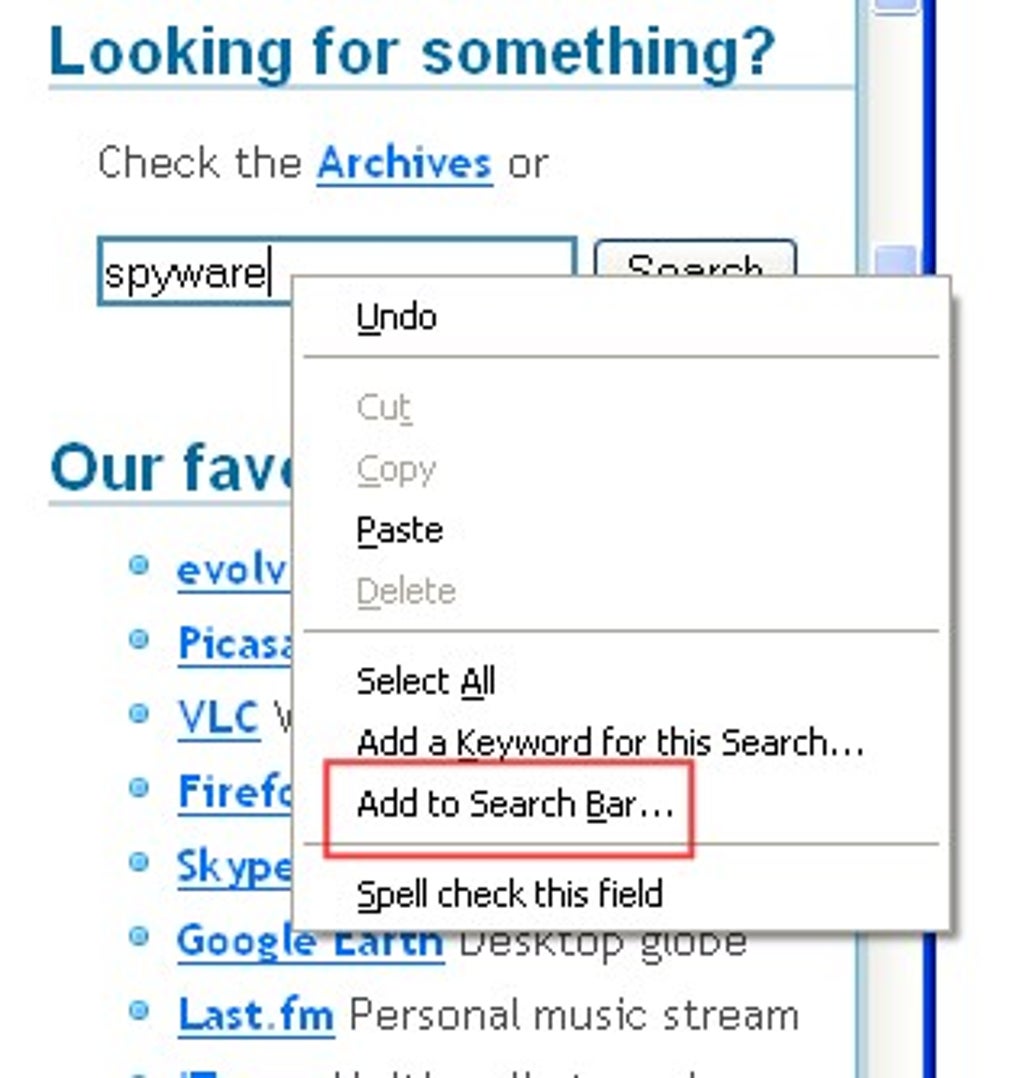
Add to Search Bar is a Firefox add‑on that captures any visible search form on a webpage and turns it into a reusable search engine within Firefox’s native search box. The extension works by injecting a small JavaScript hook into the page; when you right‑click a search field and select “Add to Search bar,” it reads the form’s action URL, the query parameter name, and optional POST data, then creates a new engine entry that appears alongside Google, Bing, and any other engines you’ve added manually.
Feature List
- One‑click addition – Right‑click any search field and choose “Add to Search bar” to create a new engine instantly.
- Custom naming & icon support – Choose a memorable name and upload a 32 × 32 PNG or use an automatically fetched favicon.
- Full URL parameter mapping – The extension parses complex query strings, preserving required parameters for sites that need session tokens or language codes.
- Cross‑site persistence – Added engines are stored in Firefox’s built‑in search engine list, making them available on every device synced via Firefox Sync.
- Lightweight footprint – The add‑on adds less than 100 KB of code, does not inject ads, and runs without noticeable performance impact.
- Secure handling – All data is processed locally; no external servers are contacted during engine creation, ensuring privacy‑first operation.
- Automatic updates – The extension checks Mozilla’s add‑on repository daily and updates silently, keeping compatibility with the latest Firefox releases.
- Multi‑language support – Interface strings are translated into over 15 languages, including English, Spanish, German, French, and Japanese.
The feature set may look modest compared with heavyweight SEO tools, but its focus on a single, well‑executed capability makes Add to Search Bar a niche powerhouse. Users often cite the ability to add internal corporate portals or university library search forms as a game‑changer for daily research tasks.
Installation, Usage & Compatibility
Getting Add to Search Bar up and running takes just a few seconds. Follow the steps below to ensure a smooth experience on any supported platform.
Step‑by‑step installation
- Open Firefox and navigate to the official Mozilla Add‑ons page for Add to Search Bar.
- Click the “Add to Firefox” button. A confirmation dialog appears; grant the required permissions (access to page content and the ability to modify the search engine list).
- After installation, the extension icon appears in the toolbar. You can also pin it for quick access via the Firefox menu → Customize.
- Restart Firefox (optional but recommended) to let the extension register its background scripts.
How to add a new engine
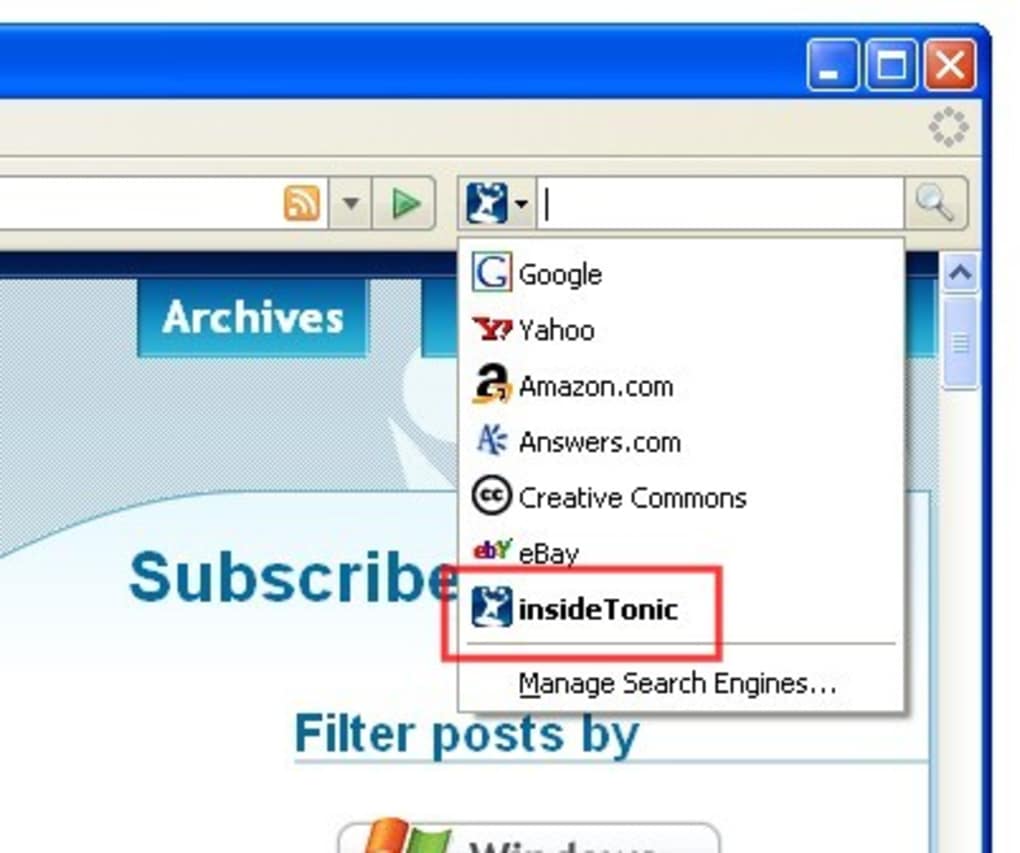
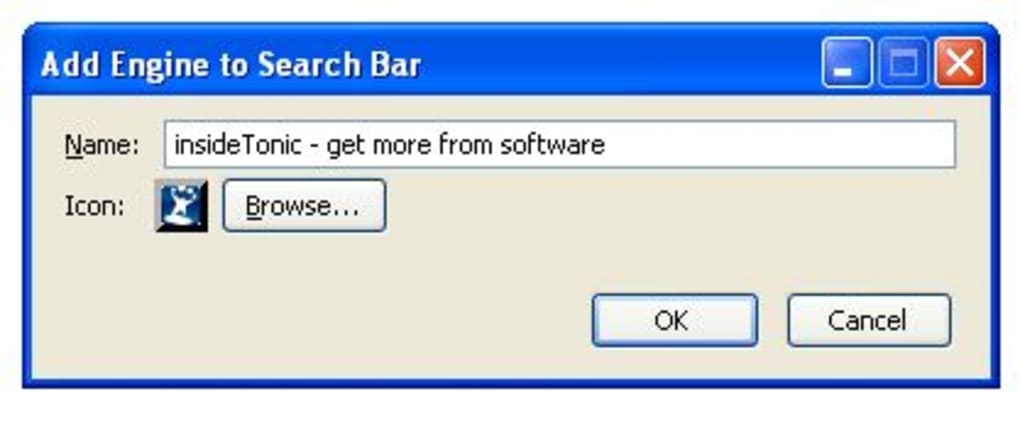
Visit any webpage that contains a search field – for example, an online bookstore or a government archive. Right‑click the input box and select “Add to Search bar”. A modal window pops up asking you to confirm the engine name, edit the URL template if needed, and choose an icon. Once you click Save, the new engine appears in the drop‑down list of the Firefox search bar. From that point on, you can invoke the custom search from any tab, just like you would with Google.
Operating system support
Add to Search Bar works on all desktop platforms that Firefox supports, including Windows 10/11, macOS 12+ (Monterey, Ventura, Sonoma), and popular Linux distributions (Ubuntu, Fedora, Debian). The add‑on also functions in Firefox for Android, though the right‑click gesture is replaced by a long‑press context menu. iOS users cannot install Firefox extensions due to Apple’s restrictions, so the extension is unavailable on iPhone or iPad.
Because the extension relies on standard web APIs and Firefox’s native extension framework, it remains compatible with every major Firefox update released in 2024 and 2025. Users who enable automatic updates in their browser will receive patches automatically, ensuring that the add‑on stays functional even as Firefox evolves.
Pros, Cons & Frequently Asked Questions
Pros
- Instantly turn any on‑page search box into a permanent Firefox search engine.
- Zero‑cost, open‑source, and privacy‑focused – no data leaves your computer.
- Lightweight and fast; negligible impact on browser performance.
- Syncs across devices via Firefox Sync, preserving custom engines.
- Highly customizable naming and icon selection for easy identification.
Cons
- Lacks advanced configuration such as conditional URL rewriting or header manipulation.
- Only available on desktop Firefox; Android support is limited to long‑press.
- No built‑in backup/export feature for the custom engine list.
FAQ – Your questions answered
Can I add a search engine that uses POST requests?
Yes. Add to Search Bar detects the form method and includes the necessary POST data in the generated engine template. However, because Firefox’s built‑in search bar only sends GET requests, the extension converts POST forms to equivalent GET URLs when possible. Complex POST-only forms may not work perfectly.
Is the extension safe for corporate environments?
Absolutely. All processing occurs locally, and the extension never transmits your search queries to third‑party servers. For enterprise deployment, administrators can whitelist the add‑on via Mozilla’s policy engine.
How do I remove a custom search engine I no longer need?
Open Firefox’s Search Settings (Preferences → Search). Under “One‑click search engines,” locate the engine you added and click the X button to delete it. The change is immediate and syncs across your devices.
Does the add‑on work with private browsing windows?
Yes. Custom engines are available in private windows, but any searches you perform there are not stored in your history, preserving the privacy expectations of incognito mode.
Will future Firefox updates break the extension?
The developer follows Mozilla’s extension guidelines closely and releases updates within days of a major Firefox version change. Enabling automatic add‑on updates ensures you stay compatible.
Conclusion & Call to Action
In a browser ecosystem crowded with feature‑rich extensions, Add to Search Bar proves that a laser‑focused tool can still deliver massive productivity gains. By allowing you to harvest any on‑page search field and turn it into a permanent entry in Firefox’s native search bar, the add‑on removes the need for repetitive site navigation and cuts down on mouse clicks. Its lightweight design, free price tag, and commitment to privacy make it a safe choice for both personal and corporate use.
If you spend a significant portion of your day hopping between specialized sites—whether you’re a researcher digging through academic journals, a shopper comparing niche marketplaces, or a developer searching internal documentation—this extension will likely become an indispensable part of your workflow. The few missing advanced options are outweighed by the sheer convenience of “right‑click‑and‑go.”
Ready to streamline your searches? Download Add to Search Bar now from the official Mozilla Add‑ons store and start building a personalized search engine library in seconds. Your Firefox experience will never be the same.
Guides & Tutorials for Add to Search Bar
How to install Add to Search Bar
- Click the Preview / Download button above.
- Once redirected, accept the terms and click Install.
- Wait for the Add to Search Bar download to finish on your device.
How to use Add to Search Bar
This software is primarily used for its core features described above. Open the app after installation to explore its capabilities.
User Reviews for Add to Search Bar 0
No reviews found





